
How to Navigate SantonisCC: A Simple Guide for Every Car Shopper

Buying a car shouldn’t feel complicated. At SantonisCC - Santonis Car Catalog, we’ve built a platform that makes car shopping easy, transparent, and stress-free — whether you’re casually browsing or actively searching for your next vehicle.
This guide walks you through how to use SantonisCC effectively, from finding cars to connecting with trusted dealers.
Starting on the Homepage
When you visit SantonisCC, the homepage gives you a clear overview of what the platform offers.
Here, you’ll find:
A search bar to quickly look up specific car brands or models
Featured vehicles and popular listings
Easy navigation links to key sections like Cars Catalog and Dealers
Everything is arranged to help you begin your car-buying journey with confidence and ease.

2. Use the Search Bar for Fast Results
If you already know what car you want, simply type the brand or model into the search bar.
For example, type: “Toyota Camry”, “Honda CR-V”, or “Mercedes-Benz GLC”.
The platform will instantly show you available options along with prices and details.

3. Browse Through the Car Listings
Click on "Cars catalog" in the menu to explore all available vehicles.
Here, you can:
Filter by brand
Filter by price range and more
These filters help you narrow down your search and find the perfect match for your budget and lifestyle.

4. View Detailed Car Information
When you click on a car listing, you get a detailed page showing:
Clear photos of the car
Full specifications
Price
Dealer information
Condition (new or used)
Location
This helps you understand everything about the vehicle before making any inquiries.

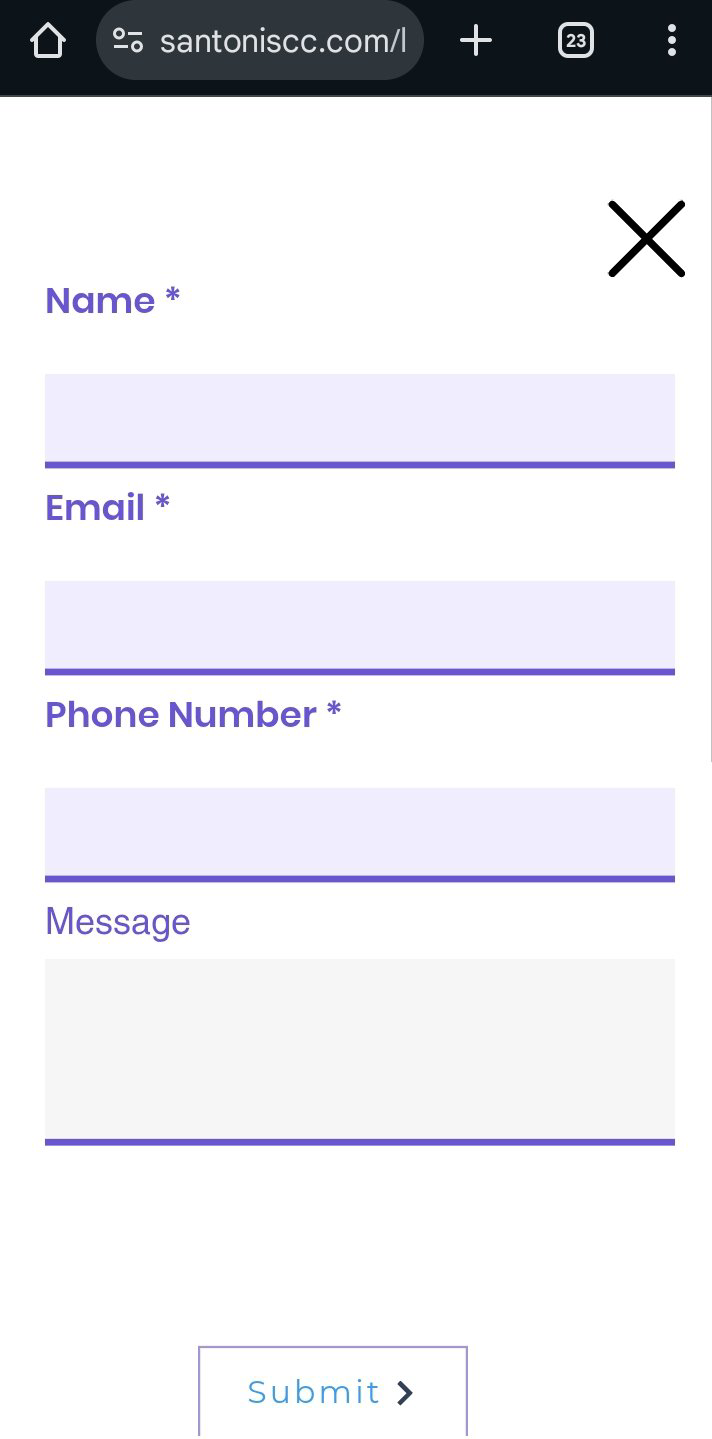
Upon confirmation, after seeing your preferred car. You will click the *connect us* button and fill in your information (name, email, phone) and message (your inquiry or interest in that car).
Then we at santonis would direct your message to the dealer.
Your inquiry will be sent and a confirmation email received in your email.
The dealer would reply you shortly after via any of the contact means you provided.

Connect With Trusted Dealers
Every car on SantonisCC comes from verified dealers.
Once you open a listing, you’ll find the dealer’s:
Name
Location
If you prefer to shop by dealer, click on “About page” in the navigation bar.
You’ll see a list of trusted sellers along with the vehicles they currently have available.
This option is great if you already know a dealer or want to compare multiple dealers at once.
And once you’re ready, simply click the ‘Connect Us’ button, and we’ll help you connect directly with trusted dealers.


6. Use Contact Page for Support
For help or inquiries, click “Contact” in the menu.
You can send a message to the SantonisCC support team for:
Assistance with navigation
Reporting a listing
Asking questions about using the platform
The support team is ready to help you at any time.
Stay Updated With the Blog
The Blog/Articles section gives you helpful information including:
Car buying tips
Website navigation guides
Market trends
Advice for first-time buyers
This section helps you make informed decisions before purchasing.
---
Conclusion
Navigating Santonis Car Catalog is designed to be simple and enjoyable. With clear categories, trusted listings, and a user-friendly layout, you can find your next car in just a few clicks. Whether you're browsing casually or seriously shopping, SantonisCC gives you the tools to make the right choice with confidence.


Comments